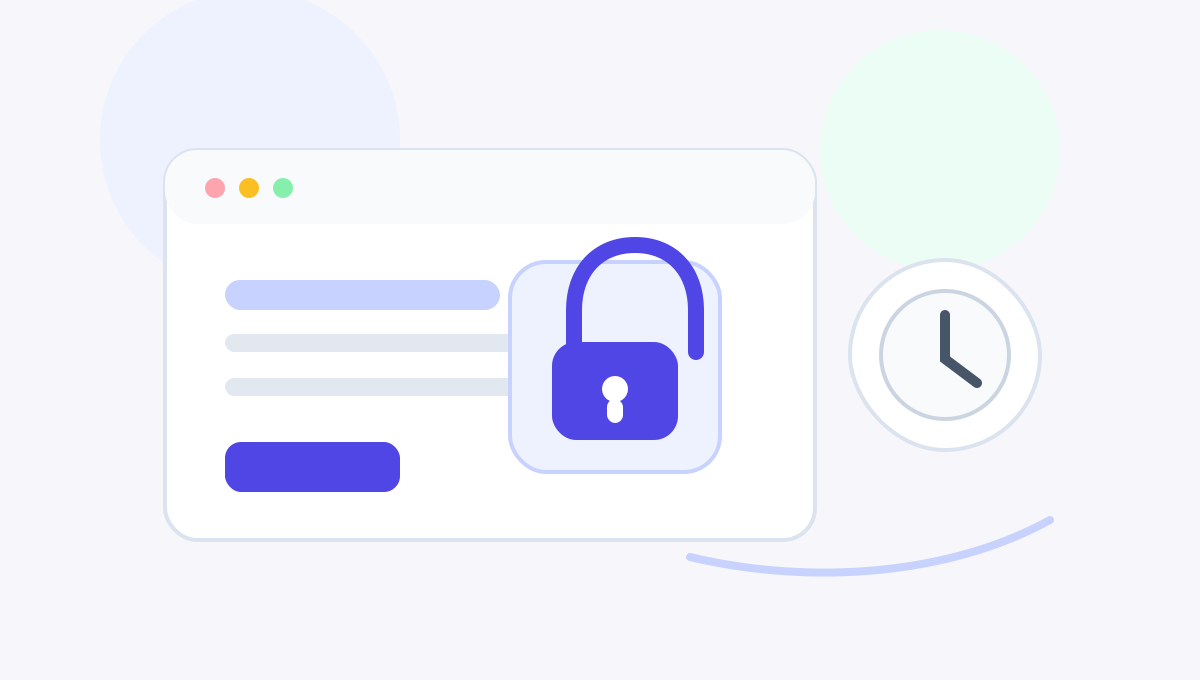
<?xml version="1.0" encoding="utf-8"?><feed xmlns="http://www.w3.org/2005/Atom" ><generator uri="https://jekyllrb.com/" version="3.10.0">Jekyll</generator><link href="https://aigotowork.github.io/focusgate/feed.xml" rel="self" type="application/atom+xml" /><link href="https://aigotowork.github.io/focusgate/" rel="alternate" type="text/html" /><updated>2026-06-26T23:38:34+00:00</updated><id>https://aigotowork.github.io/focusgate/feed.xml</id><title type="html">FocusGate / 守界</title><subtitle>本地优先的浏览器扩展，用规则组为睡眠、工作和数字戒断建立网站边界。</subtitle><entry xml:lang="en"><title type="html">Why It Is So Hard to Stop Scrolling at Night</title><link href="https://aigotowork.github.io/focusgate/blog/en/boundaries-over-willpower/" rel="alternate" type="text/html" title="Why It Is So Hard to Stop Scrolling at Night" /><published>2026-06-26T00:00:00+00:00</published><updated>2026-06-26T00:00:00+00:00</updated><id>https://aigotowork.github.io/focusgate/blog/en/boundaries-over-willpower.en</id><content type="html" xml:base="https://aigotowork.github.io/focusgate/blog/en/boundaries-over-willpower/"><![CDATA[<p><img src="/focusgate/assets/blog/bedtime-boundary-hero.svg" alt="A calm bedtime desk illustration with a browser window, clock, and FocusGate boundary mark." /></p>

<p>Most late-night scrolling does not begin with a dramatic decision to stay up.</p>

<p>It begins smaller. You are already tired. The room is quiet. Tomorrow starts early. You open one message, one video, one post, one headline. Ten minutes later, the browser is still open. The next recommendation has already loaded. The comment thread keeps unfolding. The headline looks just important enough to click.</p>

<p>At that point, blaming yourself for “bad self-control” is easy, but not very useful. The hardest bedtime decisions often arrive exactly when your mind is least prepared to make them well.</p>

<h2 id="why-night-makes-the-loop-stronger">Why night makes the loop stronger</h2>

<p>During the day, you can plan. You can decide that sleep matters. You can tell yourself clearly: tonight, I will stop earlier.</p>

<p>At night, attention is thinner. Patience is lower. The cost of one more click feels small. High-stimulation sites are built without natural stopping points: one video leads to another, one post opens another thread, one news page suggests the next urgent thing.</p>

<p>There is also a quieter emotional layer. Sometimes late-night browsing is not about pleasure. It is about delaying the end of the day. When the day has been full, stressful, or overly scheduled, the screen can feel like the only remaining pocket of personal time.</p>

<p><img src="/focusgate/assets/blog/tired-decision-spot.svg" alt="A small illustration of a sleepy browser window, dim clock, and decision switch, showing how hard bedtime choices feel when tired." /></p>

<p>That is why the better question is not “How do I become stronger at midnight?” It is: “How do I avoid leaving the hardest decision until midnight?”</p>

<h2 id="a-boundary-should-arrive-before-the-argument-starts">A boundary should arrive before the argument starts</h2>

<p>FocusGate is built around that idea. It does not try to turn you into a different person. It helps the clear-headed version of you support the tired version of you.</p>

<p><img src="/focusgate/assets/blog/night-loop-abstract.svg" alt="An abstract illustration with soft rings, browser cards, and a clock path showing the “one more click” loop at night." /></p>

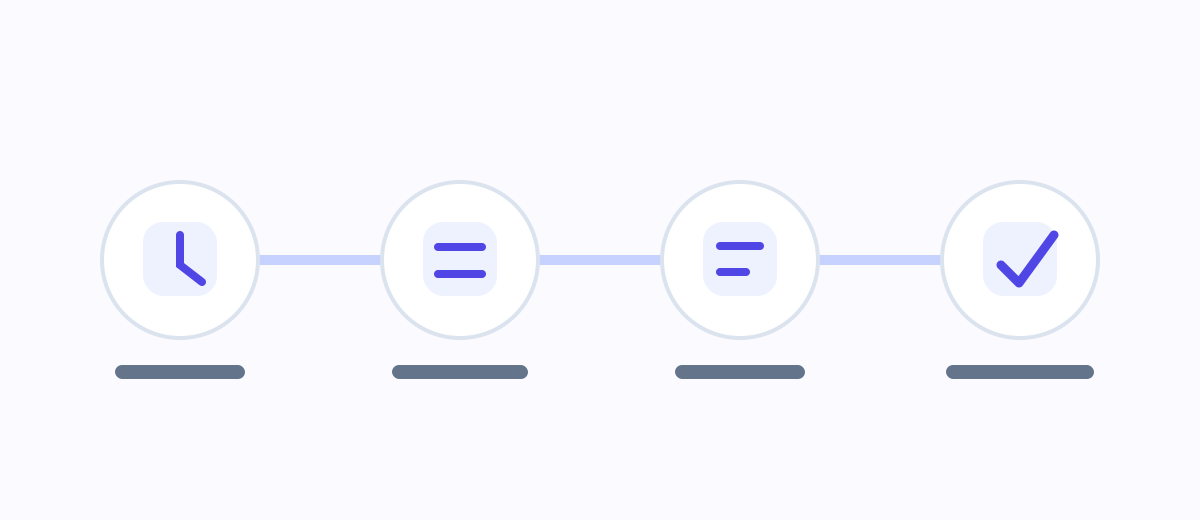
<p>You can create a sleep rule group, keep the default “晚安守护” template, choose a start time, list the sites that most often pull you in, turn on a reminder window, and decide how temporary unlocks should work. When the scheduled time arrives, the browser no longer treats the visit as just another ordinary page load. It shows the boundary you already chose.</p>

<p>The point is not to punish you. The point is to stop renegotiating with every feed when you are already tired.</p>

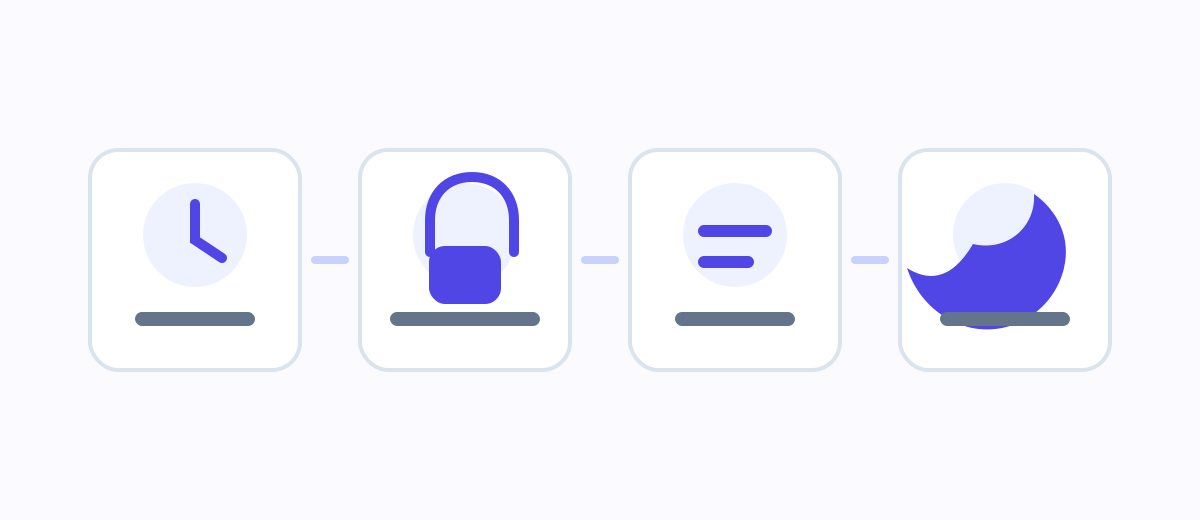
<p><img src="/focusgate/assets/blog/bedtime-boundary-flow.svg" alt="A four-step bedtime boundary flow: reminder, block page, calm choice, and sleep wind-down." /></p>

<h2 id="a-setup-you-can-try-tonight">A setup you can try tonight</h2>

<p>Keep the first version simple.</p>

<p>Start with a time you can honestly accept. It does not have to be your ideal sleep time. It can simply be the time when you want high-stimulation browsing to stop, such as <code class="language-plaintext highlighter-rouge">23:00</code>.</p>

<p>Then list only the three to five sites that most often pull you past your intention. Do not block the whole internet on day one. The most useful boundary usually starts with the few doors you keep walking through.</p>

<p>Turn on an early reminder, such as 30 minutes before the rule starts. A reminder gives you a softer landing: save your progress, finish the current thing, and bring your attention back to the room before the block page appears.</p>

<p>Finally, write a block-page note that does not shame you. “You failed again” is not useful bedtime copy. Something like “This is enough for tonight. Tomorrow will feel lighter.” is more likely to help.</p>

<p><img src="/focusgate/assets/blog/gentle-commitment-spot.svg" alt="A small illustration of a gentle commitment card and FocusGate lock mark, showing that a block page can feel caring instead of scolding." /></p>

<h2 id="temporary-unlocks-are-not-a-flaw">Temporary unlocks are not a flaw</h2>

<p>Real life has exceptions. You may need to look something up, reply to something important, or handle a real interruption. FocusGate supports temporary unlocks, but they should have a time limit, and it can help to record a reason.</p>

<p>That friction is not there to annoy you. It turns an automatic click into a conscious choice. Often, the few seconds of pause are enough to notice that you do not actually need to continue.</p>

<h2 id="the-tool-has-boundaries-too">The tool has boundaries too</h2>

<p>FocusGate is a browser extension. It helps manage website boundaries inside the browser where it is installed. It does not control your phone, native apps, another browser, or extension removal. It is best understood as a visible, local, scheduled boundary.</p>

<p>It is also not medical advice. If you are dealing with serious or persistent sleep problems, anxiety, or health concerns, a browser tool is not a substitute for professional support.</p>

<p>The goal is not to make the night stricter. The goal is to make it easier to let the day end.</p>]]></content><author><name></name></author><summary type="html"><![CDATA[Late-night scrolling is not just a willpower problem. A calmer approach is to set the boundary before you are tired.]]></summary><media:thumbnail xmlns:media="http://search.yahoo.com/mrss/" url="https://aigotowork.github.io/focusgate/assets/blog/bedtime-boundary-hero.svg" /><media:content medium="image" url="https://aigotowork.github.io/focusgate/assets/blog/bedtime-boundary-hero.svg" xmlns:media="http://search.yahoo.com/mrss/" /></entry><entry xml:lang="zh-CN"><title type="html">为什么睡前总是停不下来：用边界替代意志力</title><link href="https://aigotowork.github.io/focusgate/blog/boundaries-over-willpower/" rel="alternate" type="text/html" title="为什么睡前总是停不下来：用边界替代意志力" /><published>2026-06-26T00:00:00+00:00</published><updated>2026-06-26T00:00:00+00:00</updated><id>https://aigotowork.github.io/focusgate/blog/boundaries-over-willpower.zh</id><content type="html" xml:base="https://aigotowork.github.io/focusgate/blog/boundaries-over-willpower/"><![CDATA[<p><img src="/focusgate/assets/blog/bedtime-boundary-hero.svg" alt="一张浅色夜间桌面插画：浏览器窗口、时钟和守界标识组成一个安静的睡前边界。" /></p>

<p>很多人的睡前失控，不是从“我想熬夜”开始的。</p>

<p>它通常更小，也更难察觉：你已经洗漱完，房间暗下来，明天还要早起。你只是想看一眼消息，或者打开一个视频当作今天的收尾。十分钟后，你还在浏览器里。视频自动接上，评论区继续展开，新闻标题一个比一个像“最后一条”。你知道自己该睡了，但手指已经比大脑更快。</p>

<p>这时如果只用“自控力差”解释，很容易把问题推到自己身上。可睡前真正困难的地方，恰恰在于你最需要自控的时候，身体已经最不适合做决定。</p>

<h2 id="睡前为什么特别容易被带走">睡前为什么特别容易被带走</h2>

<p>白天的你可以做计划，可以想清楚明天要早起，可以认真告诉自己“今晚早点睡”。但到了深夜，注意力、耐心和判断力都在下降。你不是更想失控，而是更难在一个个小诱惑面前持续做正确选择。</p>

<p>高刺激网站也很少给人自然的停顿点。一个视频后面还有一个视频，一个帖子下面还有新的回复，一个新闻标题会推开另一个新闻标题。它们不需要你决定“继续看一小时”，只需要你一次又一次地接受“再看一下”。</p>

<p>还有一个更隐蔽的原因：睡前刷东西，有时不是为了快乐，而是为了不结束这一天。白天太满、太累、太被安排，夜里那一点屏幕时间像是唯一属于自己的缝隙。于是关闭网页不只是关闭内容，也像是承认今天已经结束。</p>

<p><img src="/focusgate/assets/blog/tired-decision-spot.svg" alt="一张小幅插图：困倦的浏览器窗口、暗下来的时钟和一个小小的选择开关，表现疲惫时做决定有多难。" /></p>

<p>所以，问题不只是“我要不要更努力”。问题是：能不能不要把最难的决定，留到最疲惫的时刻。</p>

<h2 id="边界应该提前出现">边界应该提前出现</h2>

<p>FocusGate / 守界 的思路不是替你变成另一个人，而是帮清醒时的你照顾深夜的你。</p>

<p><img src="/focusgate/assets/blog/night-loop-abstract.svg" alt="一张抽象插图：柔和的圆环、浏览器小卡片和时钟路径，表现睡前“再看一下”的循环。" /></p>

<p>你可以在白天设置一个“晚安守护”规则组：几点开始、限制哪些网站、提前多久提醒、如果真的需要临时解锁，要多长时间、要不要写下原因。到了时间点，浏览器不再假装这一切只是普通访问，而是把你之前设下的边界摆出来。</p>

<p>这件事的意义不是“强制你睡觉”。它更像一句及时出现的提醒：你之前已经想过这件事，现在不必重新和每一个诱惑谈判。</p>

<p><img src="/focusgate/assets/blog/bedtime-boundary-flow.svg" alt="四步睡前边界流程：提前提醒、进入阻断页、做出安静选择、回到睡前收束。" /></p>

<h2 id="一个可以今天就尝试的设置">一个可以今天就尝试的设置</h2>

<p>先不要把规则做得太复杂。睡前边界越清楚，越容易长期保留。</p>

<p>第一步，选一个你愿意承认的开始时间。它不一定是理想入睡时间，可以是“我希望从这时开始不再进入高刺激内容”的时间。例如 <code class="language-plaintext highlighter-rouge">23:00</code>。</p>

<p>第二步，只列出最容易失控的 3 到 5 个网站。不要一开始就把整个互联网都限制住。真正影响睡眠的，通常是那几个你反复打开、没有自然终点、离开后会后悔的入口。</p>

<p>第三步，开启提前提醒。比如提前 30 分钟。提醒的价值在于，它不是等你撞上阻断页才告诉你“停下”，而是在边界到来前给你一个缓冲：保存进度、结束当前内容、把注意力转回房间。</p>

<p>第四步，给阻断页写一句不羞辱自己的承诺语。不要写“你又失败了”。可以写：“今晚到这里就好，明天会更轻一点。”睡前的边界越像照顾，而不是责备，越容易被接受。</p>

<p><img src="/focusgate/assets/blog/gentle-commitment-spot.svg" alt="一张小幅插图：温柔的承诺卡片和守界门锁标识，表示阻断页可以像照顾而不是责备。" /></p>

<h2 id="临时解锁不是漏洞">临时解锁不是漏洞</h2>

<p>现实里总会有例外。你可能需要查一段资料，回复一个重要消息，或者处理临时事务。所以守界保留临时解锁，但它应该有时间限制，也最好让你写下原因。</p>

<p>这不是为了制造麻烦，而是让“破例”从无意识点击变成一次清楚的选择。很多时候，只要多停几秒，你就会发现自己并不是真的需要继续，只是还没从自动滑动里醒过来。</p>

<h2 id="产品也有边界">产品也有边界</h2>

<p>守界是浏览器扩展，它能帮助你管理安装扩展的浏览器里的网站访问边界。它不控制手机，不控制本地 App，也不承诺防卸载、防换浏览器。它更适合用来建立一个可见、温和、可执行的环境提醒。</p>

<p>如果你长期严重失眠、焦虑或存在健康风险，浏览器工具不能替代专业医疗建议。它能做的是帮你减少睡前高刺激入口，让夜晚少一点被拉走的机会。</p>

<p>真正的目标不是把夜晚变得更紧，而是让它慢慢松下来。到点以后，屏幕可以暗下去，网页可以关掉，今天可以结束。</p>]]></content><author><name></name></author><summary type="html"><![CDATA[睡前刷视频、社区和新闻停不下来，往往不是简单的自控力失败。更可靠的方法，是在清醒时提前设好边界。]]></summary><media:thumbnail xmlns:media="http://search.yahoo.com/mrss/" url="https://aigotowork.github.io/focusgate/assets/blog/bedtime-boundary-hero.svg" /><media:content medium="image" url="https://aigotowork.github.io/focusgate/assets/blog/bedtime-boundary-hero.svg" xmlns:media="http://search.yahoo.com/mrss/" /></entry><entry xml:lang="en"><title type="html">FocusGate’s Local-First Privacy Design</title><link href="https://aigotowork.github.io/focusgate/blog/en/local-first-privacy/" rel="alternate" type="text/html" title="FocusGate’s Local-First Privacy Design" /><published>2026-06-26T00:00:00+00:00</published><updated>2026-06-26T00:00:00+00:00</updated><id>https://aigotowork.github.io/focusgate/blog/en/local-first-privacy.en</id><content type="html" xml:base="https://aigotowork.github.io/focusgate/blog/en/local-first-privacy/"><![CDATA[<p><img src="/focusgate/assets/blog/privacy-local-hero.svg" alt="A calm privacy illustration with a browser, local device, and lock-shaped FocusGate boundary mark." /></p>

<p>It is reasonable to pause when a browser extension asks for permissions.</p>

<p>A tool that helps limit websites sounds like it might need to know a lot: which pages you open, when you open them, what is on the page, and what you type. For many users, the key question is not only “Will this help?” It is also “Will this know too much?”</p>

<p>FocusGate’s privacy design starts from a narrower principle: to enforce website boundaries, the extension needs to know whether the current domain matches rules you configured. It does not need to understand the page you are reading. It does not need to read form fields. It does not need to upload browsing content to a server.</p>

<p><img src="/focusgate/assets/blog/permission-prompt-spot.svg" alt="A small illustration of a browser permission prompt, question mark, and calm lock mark, showing the natural hesitation users may feel." /></p>

<h2 id="what-focusgate-stores">What FocusGate stores</h2>

<p>FocusGate stores the settings you create so rule groups can work.</p>

<p>That includes rule group names, enabled states, schedules, restricted domains, reminder windows, block modes, temporary unlock settings, block-page titles and descriptions, primary button behavior, and any static block or handoff HTML you enter.</p>

<p>If you use stats, the extension also stores local domain-level events, such as when a domain was blocked, temporarily unlocked, added to a rule group, reminded, or cleared. These events support local review, such as today’s blocks, the current rule session, and recent trends.</p>

<p>By default, this information stays in the browser’s local extension storage. The current MVP has no account system, no cloud sync, and no sale of user data.</p>

<h2 id="what-focusgate-does-not-read">What FocusGate does not read</h2>

<p>FocusGate is not built to analyze page content. It does not read page body text. It does not read form input. It does not read account passwords. It does not use page titles as the basis for stats.</p>

<p>The important distinction is this: FocusGate cares whether the domain is one of the boundary doors you configured. It does not need to know what is inside the page.</p>

<p>For example, if you add <code class="language-plaintext highlighter-rouge">youtube.com</code> to a rule group, FocusGate needs to know that the current page belongs to that domain so it can decide whether to remind or block. It does not need the video title, comments, or account information.</p>

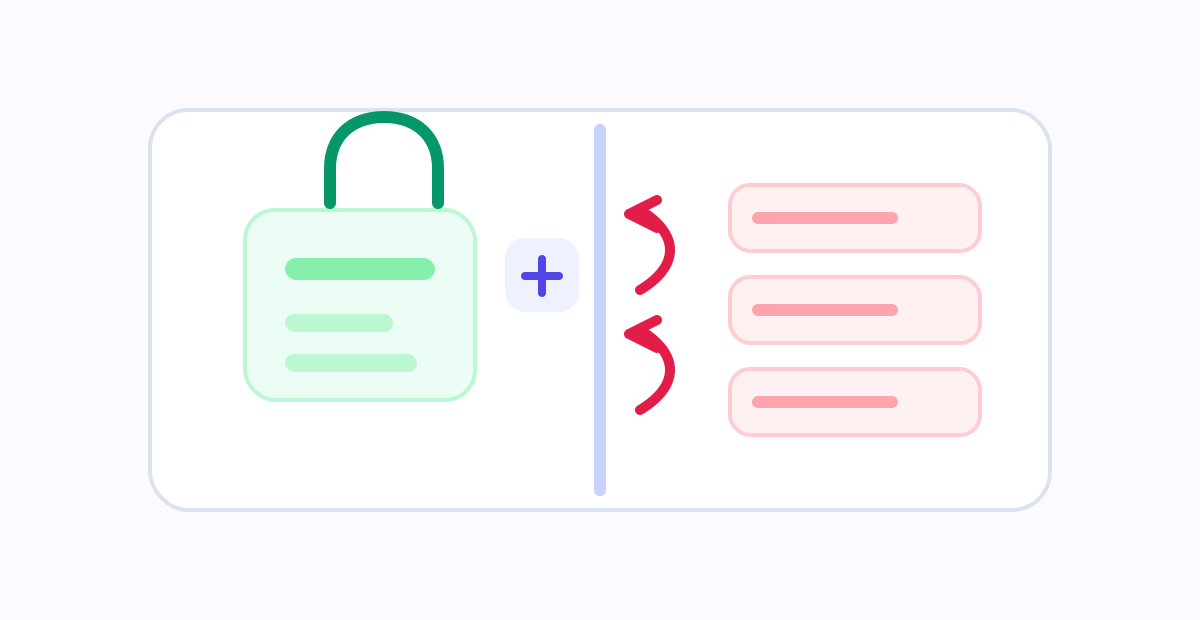
<p><img src="/focusgate/assets/blog/data-boundary-room.svg" alt="An abstract room diagram with a local rules cabinet, a clear boundary line, and page content staying outside." /></p>

<h2 id="why-url-and-domain-access-are-still-needed">Why URL and domain access are still needed</h2>

<p>A browser extension cannot block a website without knowing which website the browser is visiting. That is why FocusGate needs URL / domain information.</p>

<p>When a page loads, the extension checks the current domain against your rule groups. Is the domain on the list? Is the schedule active? Is the rule group paused? Has this domain been temporarily unlocked for this group? If the decision says the site should be blocked, the browser opens the block page.</p>

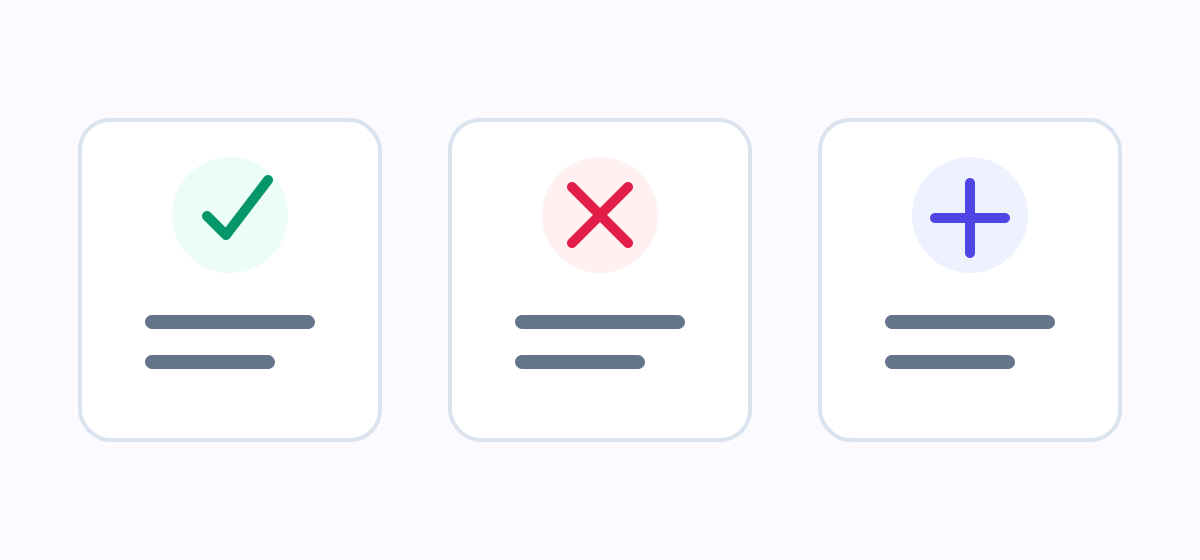
<p><img src="/focusgate/assets/blog/privacy-data-boundary.svg" alt="A three-column data boundary diagram: stored rules and stats, excluded page content, and why domain matching is needed." /></p>

<p>That decision does not require page body text. It is closer to checking an address label at the door than reading what is inside the room.</p>

<p><img src="/focusgate/assets/blog/domain-address-spot.svg" alt="A small illustration of a doorway address label matching a rule checklist, showing domain matching without reading page contents." /></p>

<h2 id="what-local-first-means-here">What local-first means here</h2>

<p>Local-first is not just a slogan for the current version of FocusGate.</p>

<p>It means settings and stats are stored locally by default. There is no login flow. There is no cloud sync flow. The product does not rely on a server to decide whether a site should be blocked. If you clear local stats or uninstall the extension, local extension data is reduced or removed according to the browser’s extension storage behavior.</p>

<p>There is also a tradeoff: this MVP does not automatically sync your rules across devices. If you move to another computer or browser, you need to configure it again. That keeps the initial product simpler and avoids unnecessary data movement.</p>

<h2 id="the-boundary-should-be-understandable">The boundary should be understandable</h2>

<p>A privacy policy matters, but users should not have to decode legal language to understand the product’s basic data boundary. An attention-boundary tool should not create a new kind of uncertainty.</p>

<p>FocusGate should keep these lines clear: use domain information only to evaluate user-configured rules; keep stats at the domain-event level; do not read page body text, form input, passwords, or page titles; do not add analytics, remote scripts, or third-party tracking without updating the privacy policy and store declarations.</p>

<p>An attention boundary should make the browser feel calmer, not turn it into a data black box.</p>]]></content><author><name></name></author><summary type="html"><![CDATA[FocusGate needs to know whether the current domain matches your rules. It does not need to read page body text, form input, passwords, or page titles.]]></summary><media:thumbnail xmlns:media="http://search.yahoo.com/mrss/" url="https://aigotowork.github.io/focusgate/assets/blog/privacy-local-hero.svg" /><media:content medium="image" url="https://aigotowork.github.io/focusgate/assets/blog/privacy-local-hero.svg" xmlns:media="http://search.yahoo.com/mrss/" /></entry><entry xml:lang="zh-CN"><title type="html">FocusGate 的本地优先隐私设计：边界在浏览器里，数据也留在本地</title><link href="https://aigotowork.github.io/focusgate/blog/local-first-privacy/" rel="alternate" type="text/html" title="FocusGate 的本地优先隐私设计：边界在浏览器里，数据也留在本地" /><published>2026-06-26T00:00:00+00:00</published><updated>2026-06-26T00:00:00+00:00</updated><id>https://aigotowork.github.io/focusgate/blog/local-first-privacy.zh</id><content type="html" xml:base="https://aigotowork.github.io/focusgate/blog/local-first-privacy/"><![CDATA[<p><img src="/focusgate/assets/blog/privacy-local-hero.svg" alt="一张浅色隐私插画：浏览器、本地设备和锁形门标识组成一个本地边界。" /></p>

<p>安装浏览器扩展时，看到权限提示会犹豫，是很正常的。</p>

<p>一个帮助你限制网站的工具，听起来似乎必须知道很多东西：你打开了什么页面、什么时候打开、看了多久、页面里有什么内容。对很多用户来说，真正的问题不是“这个工具有没有用”，而是“它会不会知道太多”。</p>

<p>FocusGate / 守界 的隐私设计从一个尽量简单的原则开始：为了执行网站边界，扩展只需要判断当前域名是否命中你自己设置的规则。它不需要理解你正在阅读什么，不需要读取表单里输入了什么，也不需要把你的浏览内容上传到服务器。</p>

<p><img src="/focusgate/assets/blog/permission-prompt-spot.svg" alt="一张小幅插图：浏览器权限提示、问号和安静的锁形标识，表现用户看到权限提示时自然会犹豫。" /></p>

<h2 id="守界会保存什么">守界会保存什么</h2>

<p>为了让规则组正常工作，守界需要保存你主动配置的信息。</p>

<p>这包括规则组名称、启用状态、时间排程、受限域名、提醒时间、阻断强度、临时解锁设置、阻断页标题和描述、主按钮动作，以及你输入的静态阻断页或承接页内容。</p>

<p>如果你使用统计功能，扩展还会在本地记录域名级事件，例如某个域名被阻断、临时解锁、加入规则组、显示提醒或清空统计。这些记录用于让你看到今天、本周期或近几天的边界执行情况。</p>

<p>这些信息默认保存在浏览器本地。当前 MVP 不提供账号系统，不进行云同步，也不出售用户数据。</p>

<h2 id="守界不会读取什么">守界不会读取什么</h2>

<p>守界的目标不是分析页面内容。它不会读取页面正文，不会读取表单输入，不会读取账号密码，也不会把页面标题作为统计依据。</p>

<p>换句话说，它关心的是“这个域名是不是你设定过的边界入口”，而不是“这个页面里具体写了什么”。</p>

<p>这一区别很重要。比如你把 <code class="language-plaintext highlighter-rouge">youtube.com</code> 加入某个规则组，守界需要知道当前页面属于这个域名，才能决定是否提醒或阻断。但它不需要知道你正在看的视频标题、评论内容或账号信息。</p>

<p><img src="/focusgate/assets/blog/data-boundary-room.svg" alt="一张抽象房间图：本地规则柜、清楚的边界线和留在外侧的页面内容。" /></p>

<h2 id="为什么仍然需要-url--域名">为什么仍然需要 URL / 域名</h2>

<p>浏览器扩展如果要拦住某个网站，必须先知道当前访问的是哪个网站。这就是守界需要 URL / 域名信息的原因。</p>

<p>当你访问一个页面时，扩展会用当前域名和你的规则组做匹配：这个域名是否在列表里？现在是否在生效时间内？这个规则组是否被暂停？是否已经临时解锁？如果答案指向“应该阻断”，浏览器才会进入阻断页。</p>

<p><img src="/focusgate/assets/blog/privacy-data-boundary.svg" alt="三栏数据边界图：会保存的规则和统计、不会读取的页面内容、为什么需要域名匹配。" /></p>

<p>这套判断不需要页面正文。它更像门口的地址牌检查：看地址是否在你写下的清单里，而不是进屋翻看里面的内容。</p>

<p><img src="/focusgate/assets/blog/domain-address-spot.svg" alt="一张小幅插图：门口地址牌和规则清单相互对应，表现域名匹配像检查地址而不是阅读页面内容。" /></p>

<h2 id="本地优先意味着什么">本地优先意味着什么</h2>

<p>本地优先不是一句装饰性口号。对当前版本的守界来说，它意味着几件具体的事。</p>

<p>第一，设置和统计默认留在浏览器本地。第二，没有账号登录流程，也没有云同步流程。第三，产品不依赖服务器来判断一个网站是否应该被阻断。第四，如果你清空本地统计或卸载扩展，本地数据也会随之减少或移除，具体行为取决于浏览器的扩展存储机制。</p>

<p>这也意味着当前版本不会帮你在多台设备之间自动同步规则。如果你换电脑或换浏览器，需要重新配置。这个取舍让 MVP 保持简单，也减少了不必要的数据流动。</p>

<h2 id="用户应该能看懂边界">用户应该能看懂边界</h2>

<p>隐私政策当然重要，但用户不应该只能在法律化长句里寻找答案。一个注意力边界工具如果让人产生新的不安，就违背了它自己的方向。</p>

<p>所以守界需要持续保持几条清楚的线：只为执行用户设置的规则而使用域名信息；统计保持域名级；不读取页面正文、表单输入、账号密码或页面标题；不加入分析工具、远程脚本或第三方跟踪组件，除非隐私政策和商店声明同步更新。</p>

<p>边界应该让人安心。你设下的是注意力边界，不应该换来一个更难理解的数据黑箱。</p>]]></content><author><name></name></author><summary type="html"><![CDATA[守界需要知道当前域名是否命中你的规则，但不需要读取页面正文、表单输入、账号密码或页面标题。]]></summary><media:thumbnail xmlns:media="http://search.yahoo.com/mrss/" url="https://aigotowork.github.io/focusgate/assets/blog/privacy-local-hero.svg" /><media:content medium="image" url="https://aigotowork.github.io/focusgate/assets/blog/privacy-local-hero.svg" xmlns:media="http://search.yahoo.com/mrss/" /></entry><entry xml:lang="en"><title type="html">How to Set Up a Focus Rule Group Without Overblocking</title><link href="https://aigotowork.github.io/focusgate/blog/en/work-focus-rule-group/" rel="alternate" type="text/html" title="How to Set Up a Focus Rule Group Without Overblocking" /><published>2026-06-26T00:00:00+00:00</published><updated>2026-06-26T00:00:00+00:00</updated><id>https://aigotowork.github.io/focusgate/blog/en/work-focus-rule-group.en</id><content type="html" xml:base="https://aigotowork.github.io/focusgate/blog/en/work-focus-rule-group/"><![CDATA[<p><img src="/focusgate/assets/blog/work-focus-hero.svg" alt="A calm work desk illustration with a task list and a distracting feed held behind a soft boundary." /></p>

<p>Work distraction often begins with something reasonable.</p>

<p>You open the browser to look up a reference. A video explanation appears. The sidebar suggests another one. A message reminder pulls you elsewhere. A shopping tab is still open from lunch. When you return, the original task has lost its shape.</p>

<p>That does not mean the internet should become a wall. A better focus boundary makes the wrong doors harder to open at the wrong time.</p>

<p><img src="/focusgate/assets/blog/research-to-feed-spot.svg" alt="A small illustration of a reference page sliding toward a feed column, showing how work browsing can quietly drift into distraction." /></p>

<h2 id="do-not-start-by-blocking-everything">Do not start by blocking everything</h2>

<p>Many people overconfigure their first focus tool. They add every distracting site they can think of and keep the rule active all day. It feels decisive, but it is usually brittle.</p>

<p>Not every work hour is the same. Some blocks are for deep work. Some are for research. Some are for rest. If the rule is too wide, it blocks legitimate work. If it is too strict, you will quickly look for ways around it.</p>

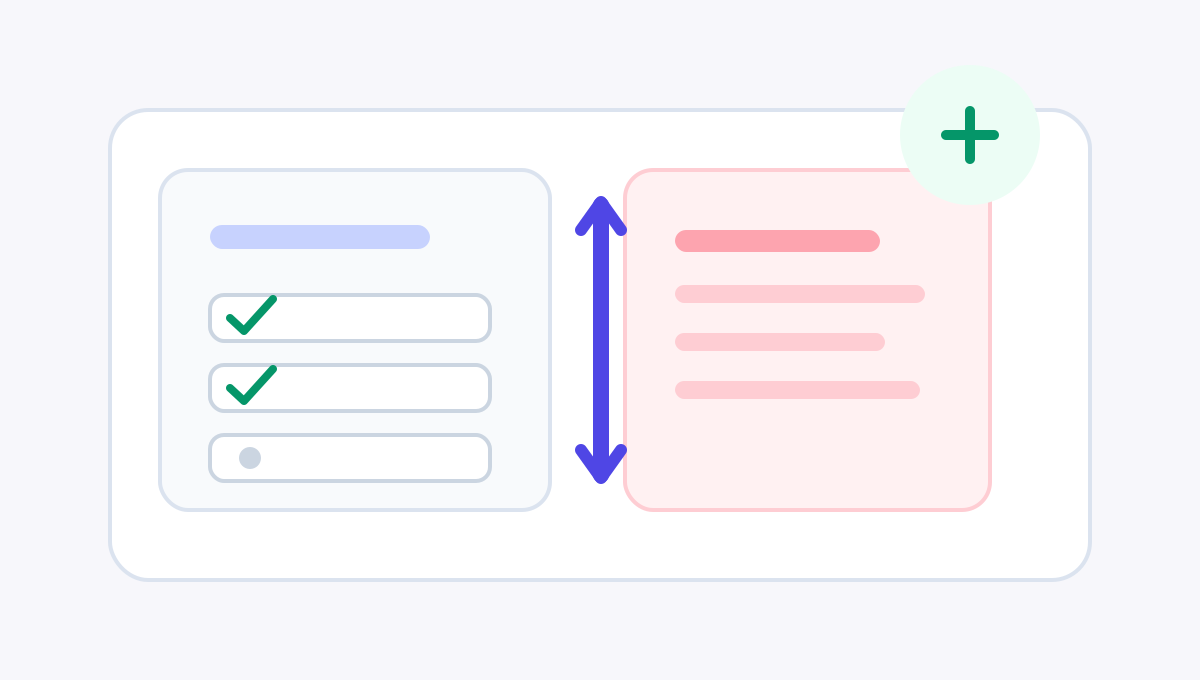
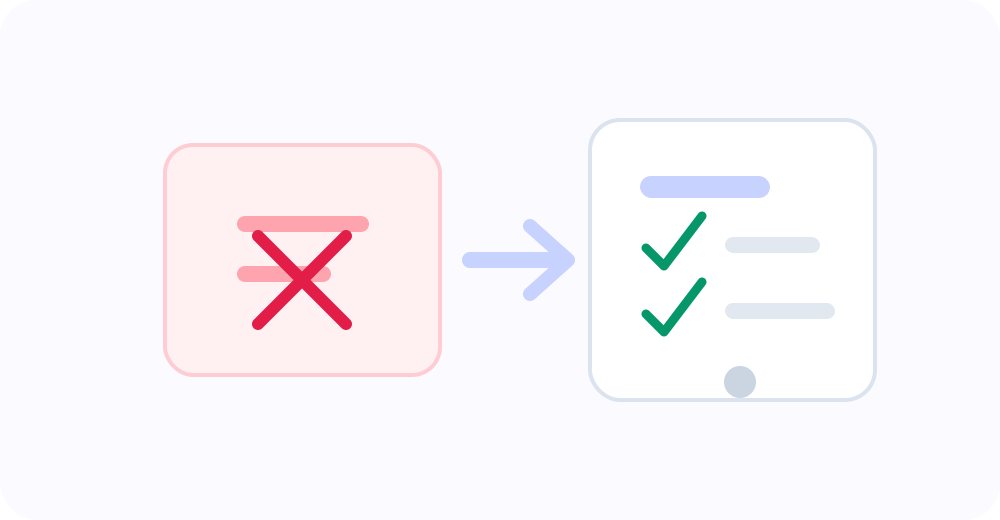
<p>FocusGate rule groups are designed to stay specific. A work focus group can have its own schedule, sites, reminders, block mode, unlock settings, and primary action, separate from a bedtime group or a weekend reset group.</p>

<p><img src="/focusgate/assets/blog/focus-path-abstract.svg" alt="An abstract path illustration where the focus route moves through work blocks while distracting islands stay outside the route." /></p>

<h2 id="a-practical-starting-template">A practical starting template</h2>

<p>Create a rule group named “Work Focus” or “工作时间专注”.</p>

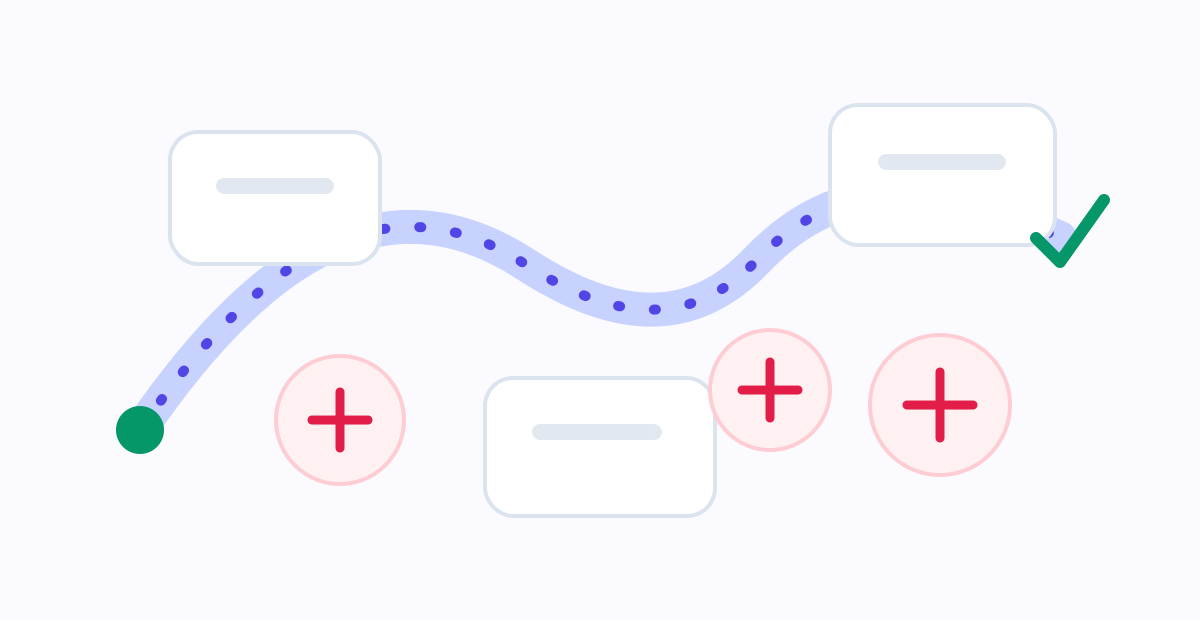
<p>Do not cover the whole day at first. Choose the blocks you most want to protect, such as weekdays <code class="language-plaintext highlighter-rouge">09:00-12:00</code> and <code class="language-plaintext highlighter-rouge">14:00-18:00</code>. If your work is less regular, start with your own deep-work window, even if it is only two hours.</p>

<p>Add only the high-risk entry points: video sites, short-form feeds, social sites, shopping, forums, and entertainment. Avoid blocking research tools or sources you genuinely need for work.</p>

<p>Start with the standard mode. New users do not need the strictest settings on day one. Let the boundary appear, watch how it feels for a week, then decide whether to reduce unlock time or tighten the limit.</p>

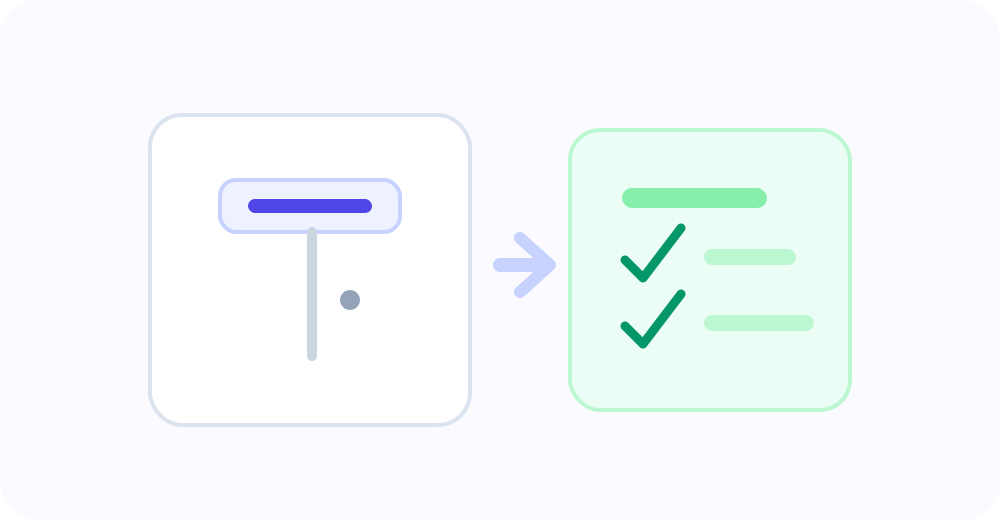
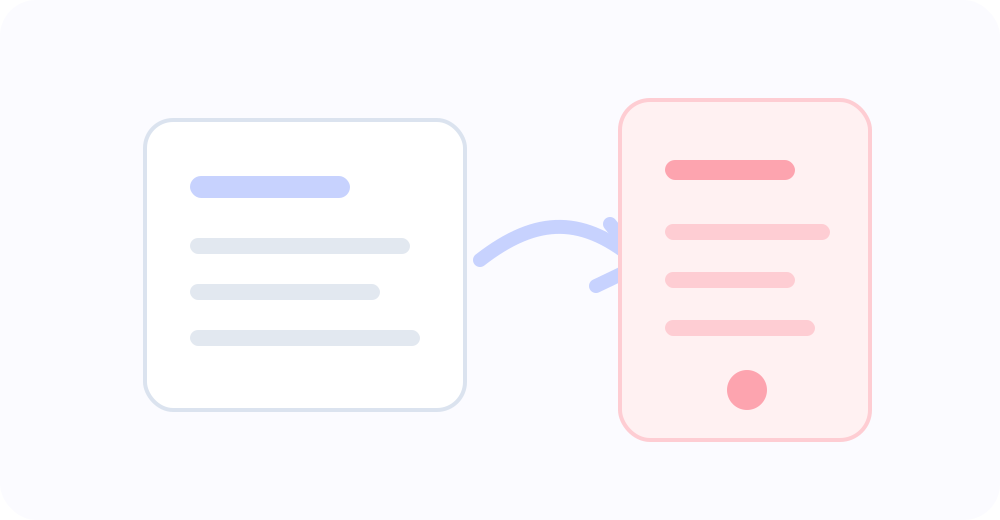
<p>For the primary action, choose either closing the page or opening a task list / handoff page. The second option is especially useful for work: when you hit the boundary, the next step is visible immediately.</p>

<p><img src="/focusgate/assets/blog/task-handoff-spot.svg" alt="A small illustration of a blocked distracting tab turning into a simple task checklist, showing the next action after a boundary." /></p>

<h2 id="reminders-are-often-better-than-sudden-blocks">Reminders are often better than sudden blocks</h2>

<p>The most frustrating work block is the one that surprises you in the middle of a transition. A reminder window makes the boundary less abrupt.</p>

<p>If your rule begins at <code class="language-plaintext highlighter-rouge">14:00</code>, try a 10 or 15 minute reminder. When you casually open an entertainment site after lunch, the page can show a quiet notice before the full block starts. You have time to close the page, save anything useful, and return to the task.</p>

<p>A reminder is not a weak boundary. It is a ramp. Many distractions only need a small interruption before they become an hour.</p>

<p><img src="/focusgate/assets/blog/work-focus-flow.svg" alt="A work focus configuration flow: choose the work window, add high-risk sites, use reminders, and return to the next action." /></p>

<h2 id="common-mistakes">Common mistakes</h2>

<p>The first mistake is blocking too many sites. Start with the doors you regret opening most often, not a perfect list of every possible distraction.</p>

<p>The second mistake is keeping the rule active all day. A focus boundary that covers rest, research, and legitimate communication becomes a burden.</p>

<p>The third mistake is removing every emergency path. Temporary unlocks are not failure. They are a reality interface. The key is to make them time-limited, count-limited, and clear enough to remain intentional.</p>

<p>The fourth mistake is using harsh block-page copy. Work already carries pressure. The block page should be short, clear, and pointed toward the next action.</p>

<h2 id="let-the-boundary-serve-the-work">Let the boundary serve the work</h2>

<p>A good work rule group should reduce switching during important hours. It should not make your whole day feel controlled.</p>

<p>Start small: two weekday focus blocks, three to five high-risk sites, one reminder window, and one primary action that takes you back to the task list. After a few days, adjust based on what actually happens.</p>

<p>Focus is not about locking every door. It is about placing a clear gate at the few intersections where you most often turn away from the work.</p>]]></content><author><name></name></author><summary type="html"><![CDATA[Work focus does not require blocking everything. A useful boundary protects the important hours and the few sites that most often pull you away.]]></summary><media:thumbnail xmlns:media="http://search.yahoo.com/mrss/" url="https://aigotowork.github.io/focusgate/assets/blog/work-focus-hero.svg" /><media:content medium="image" url="https://aigotowork.github.io/focusgate/assets/blog/work-focus-hero.svg" xmlns:media="http://search.yahoo.com/mrss/" /></entry><entry xml:lang="zh-CN"><title type="html">如何为工作时间设置一个不过度打扰的专注规则组</title><link href="https://aigotowork.github.io/focusgate/blog/work-focus-rule-group/" rel="alternate" type="text/html" title="如何为工作时间设置一个不过度打扰的专注规则组" /><published>2026-06-26T00:00:00+00:00</published><updated>2026-06-26T00:00:00+00:00</updated><id>https://aigotowork.github.io/focusgate/blog/work-focus-rule-group.zh</id><content type="html" xml:base="https://aigotowork.github.io/focusgate/blog/work-focus-rule-group/"><![CDATA[<p><img src="/focusgate/assets/blog/work-focus-hero.svg" alt="一张浅色工作桌面插画：任务清单在左侧，高刺激信息流被柔和边界隔开。" /></p>

<p>工作时的分心，很多时候不是从“我不想工作”开始的。</p>

<p>它更像一条很短的岔路：你打开浏览器查一个资料，顺手点进一个视频说明；视频旁边有推荐；推荐下面有评论；你想起某个消息还没回；再回过神，刚才的任务已经冷掉了。最麻烦的是，这个过程并不总是带来明显的快乐，只是让注意力被切成很多小片。</p>

<p>所以工作专注的目标，不应该是把互联网变成一堵墙。真正有用的边界，是让错误时间里的错误入口变得不那么顺手。</p>

<p><img src="/focusgate/assets/blog/research-to-feed-spot.svg" alt="一张小幅插图：资料页面轻轻滑向信息流栏目，表现工作浏览如何悄悄漂移到分心入口。" /></p>

<h2 id="不要从全部封死开始">不要从“全部封死”开始</h2>

<p>很多人第一次配置专注工具，会忍不住把所有可能分心的网站都列进去，再把时间设成全天。这样看起来很坚定，但很容易失败。</p>

<p>工作日并不是每一分钟都一样。有些时候你需要深度写作，有些时候需要查资料，有些时候需要休息。规则太宽，会挡住正常工作；规则太严，会让你很快想绕过它。一个能长期使用的工作规则组，应该先服务最关键的时间段和最容易失控的入口。</p>

<p>FocusGate / 守界 的规则组适合做这件事：工作边界可以和睡眠边界分开，每组都有自己的时间、网站、提醒、阻断强度和主按钮。</p>

<p><img src="/focusgate/assets/blog/focus-path-abstract.svg" alt="一张抽象路径插图：专注路线穿过工作时间块，高刺激入口被放在路线外侧。" /></p>

<h2 id="一个温和但有效的配置模板">一个温和但有效的配置模板</h2>

<p>你可以先创建一个规则组，命名为“工作时间专注”。</p>

<p>时间不要一开始覆盖全天。可以选择你最需要保护的工作块，例如工作日 <code class="language-plaintext highlighter-rouge">09:00-12:00</code> 和 <code class="language-plaintext highlighter-rouge">14:00-18:00</code>。如果你是学生或自由职业者，也可以把它设成自己的深度工作时段，比如每天上午两小时。</p>

<p>网站列表也从少数高风险入口开始。通常包括视频站、短内容平台、社交网站、购物网站、论坛和娱乐网站。不要把所有工具网站都放进去，尤其不要限制你工作真正需要的资料来源。</p>

<p>阻断强度建议从标准模式开始。新用户不必第一天就使用最严格的设置。先让边界出现，观察一周，再决定是否增加解锁限制或减少可用时长。</p>

<p>主按钮可以选择“关闭页面”，也可以跳转到任务清单或打开承接页。后者很适合工作场景：当你被拦住时，不只是看到“不能看”，而是直接回到“下一步做什么”。</p>

<p><img src="/focusgate/assets/blog/task-handoff-spot.svg" alt="一张小幅插图：被挡住的分心标签页转向任务清单，表示阻断之后应该承接到下一步行动。" /></p>

<h2 id="提前提醒比突然阻断更适合工作">提前提醒比突然阻断更适合工作</h2>

<p>工作中最烦人的阻断，是你刚打开一个页面，还没反应过来就被打断。提前提醒能让边界更柔和。</p>

<p>例如规则在 <code class="language-plaintext highlighter-rouge">14:00</code> 开始，你可以设置提前 10 到 15 分钟提醒。这样午休后随手打开娱乐网站时，页面角落会先提示“边界快到了”。你还有时间关掉页面、保存内容、切回任务，而不是被突然推到阻断页。</p>

<p>提醒不是软弱，它是过渡。很多分心只需要一次轻轻的打断，就能在变成一小时之前停住。</p>

<p><img src="/focusgate/assets/blog/work-focus-flow.svg" alt="工作专注配置流程：选择工作时间、添加高风险网站、开启提醒、回到下一步行动。" /></p>

<h2 id="常见误区">常见误区</h2>

<p>第一个误区是限制太多。刚开始最重要的是抓住真正高频、真正后悔的入口，而不是追求列表完整。</p>

<p>第二个误区是全天开启。工作边界如果覆盖了休息、查资料和真实社交，很快就会变成负担。</p>

<p>第三个误区是不留紧急通道。临时解锁不是失败，它是现实接口。关键是让它有时间限制、有次数限制，必要时记录原因。</p>

<p>第四个误区是阻断页文案太严厉。工作已经足够有压力，阻断页不需要再训斥你。它应该短、清楚、能把你带回下一步。</p>

<h2 id="让边界服务工作而不是控制生活">让边界服务工作，而不是控制生活</h2>

<p>一个好的工作规则组，应该让你在关键时间少一点来回切换，而不是让你全天处在被管控的感觉里。</p>

<p>你可以从一个小规则开始：工作日的两个时间块，三五个最容易失控的网站，一个提前提醒，一个主按钮指向任务清单。运行几天后，再根据真实情况调整。</p>

<p>专注不是把所有门都锁死，而是在最容易走偏的路口，提前放上一扇清楚的门。</p>]]></content><author><name></name></author><summary type="html"><![CDATA[工作专注不等于把所有娱乐都封死。更好的做法，是为关键时间设置少量、清楚、可恢复的网站边界。]]></summary><media:thumbnail xmlns:media="http://search.yahoo.com/mrss/" url="https://aigotowork.github.io/focusgate/assets/blog/work-focus-hero.svg" /><media:content medium="image" url="https://aigotowork.github.io/focusgate/assets/blog/work-focus-hero.svg" xmlns:media="http://search.yahoo.com/mrss/" /></entry></feed>